组网及说明
设备型号和版本:S5570S-54S-EI Release 1128
问题描述
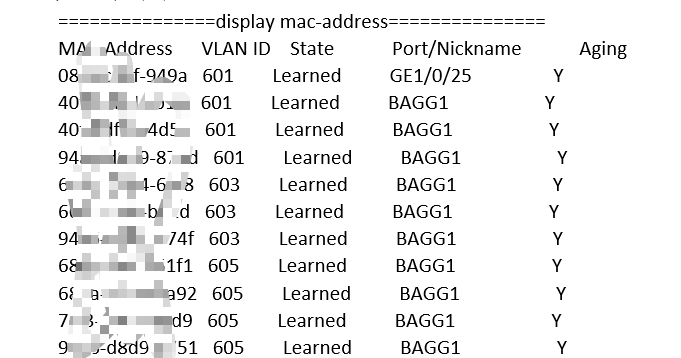
现场配置802.1x逃生不生效,服务器不可达的时候,用户(1/0/27)无法进入逃生vlan,设备学不到终端的地址
过程分析
1、 现场设备版本是最新的
2、 接口配置如下:
#
interface GigabitEthernet1/0/27
port link-mode bridge
port access vlan 601
stp edged-port
dot1x
undo dot1x handshake
dot1x mandatory-domain carizon-domain
dot1x critical vlan 601
mac-authentication
mac-authentication domain carizon-domain
mac-authentication critical vlan 601
#
3、 服务器状态
===============display radius scheme===============
Total 2 RADIUS schemes
------------------------------------------------------------------
RADIUS scheme name: carizon-radius
Index: 0
Primary authentication server:
Host name: Not Configured
IP : x.x.x.44 Port: 1812
VPN : Not configured
State: Blocked
Most recent blocked period: 2024/11/02 22:57:39 - now
Test profile: taosheng
Probe username: admin
Probe interval: 1 minutes
Weight: 0
Primary accounting server:
Host name: Not Configured
IP : x.x.x.44 Port: 1813
VPN : Not configured
State: Active (duration: 0 weeks, 0 days, 1 hours, 12 minutes, 1 seconds)
Weight: 0
Accounting-On function : Disabled
extended function : Disabled
retransmission times : 50
retransmission interval(seconds) : 3
Timeout Interval(seconds) : 3
Retransmission Times : 3
Retransmission Times for Accounting Update : 5
Server Quiet Period(minutes) : 5
Realtime Accounting Interval(seconds) : 720
Stop-accounting packets buffering : Enabled
Retransmission times : 500
NAS IP Address : x.x.x.2
VPN : Not configured
User Name Format : without-domain
Data flow unit : Byte
Packet unit : One
Attribute 15 check-mode : Strict
Attribute 25 : Standard
Attribute Remanent-Volume unit : Kilo
server-load-sharing : Disabled
Attribute 31 MAC format : HH-HH-HH-HH-HH-HH
Stop-accounting packets send-force : Disabled
Reauthentication server selection : Inherit
Attribute 218 of vendor ID 25506 : DHCP-Option 61
Format 1 (1-byte Type field)
------------------------------------------------------------------
4、看debug信息确实存在服务器不可达及认证失败的信息
*Nov 2 23:33:07:620 2024 CNBJSWTX-C6R01-SWA001 RADIUS/7/EVENT: Found request context, dstIP: 10.11.1.44; dstPort: 1812; VPN instance: --(public); socketfd: 94; pktID:23.
*Nov 2 23:33:07:622 2024 CNBJSWTX-C6R01-SWA001 RADIUS/7/EVENT: Retransmitting request packet, currentTries: 3, maxTries: 3.
*Nov 2 23:33:07:629 2024 CNBJSWTX-C6R01-SWA001 DOT1X/7/EVENT: User aging timer expired: UserMAC=yyyy-yyyy-yyyy, VLANID=601, Interface=GigabitEthernet1/0/27.
*Nov 2 23:33:07:629 2024 CNBJSWTX-C6R01-SWA001 DOT1X/7/EVENT: BE is in Initialize state: UserMAC=yyyy-yyyy-yyyy, VLANID=601, Interface=GigabitEthernet1/0/27.
*Nov 2 23:33:07:630 2024 CNBJSWTX-C6R01-SWA001 DOT1X/7/EVENT: Interface GigabitEthernet1/0/27 received Set the port authorization status to unauthorized event.
解决方法
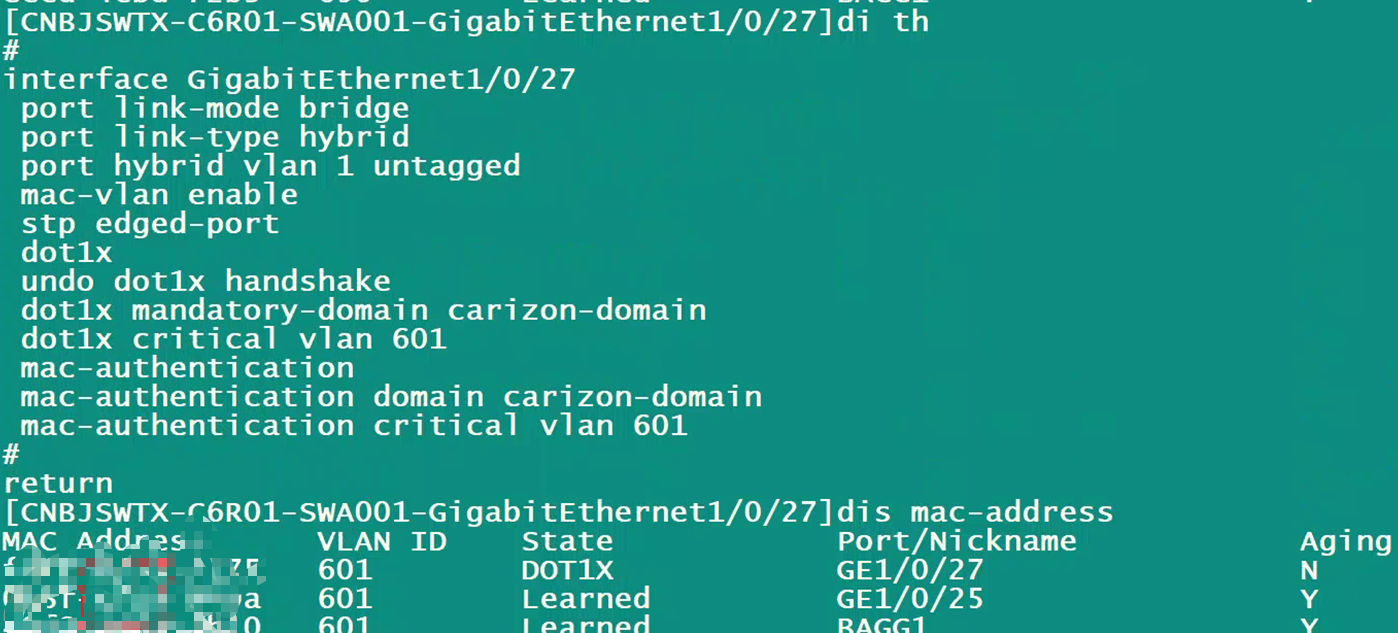
后经产品线定位:加入1x 的critical vlan要么是mac-vlan enable(需要配置成hybrid口),要么是port-based模式,现场需要同时启用mac 和1x认证的,那就只能是改hybrid口了。
现场改成hybrid口,配置mac-vlan enable之后就ok了。