组网及说明
1 配置需求或说明
1.1 适用产品系列
本案例适用于如S3100V2-26TP-SI、S3100V2-26TP-EI、S3600V2-28TP-EI、S3600V2-28TP-SI、S3110-26TP-PWR等S3100V2、S3600V2、S3110系列的交换机。
1.2 配置需求及实现的效果
通过web页面和命令行恢复出厂设置。
2 组网图
无
配置步骤
3 配置步骤
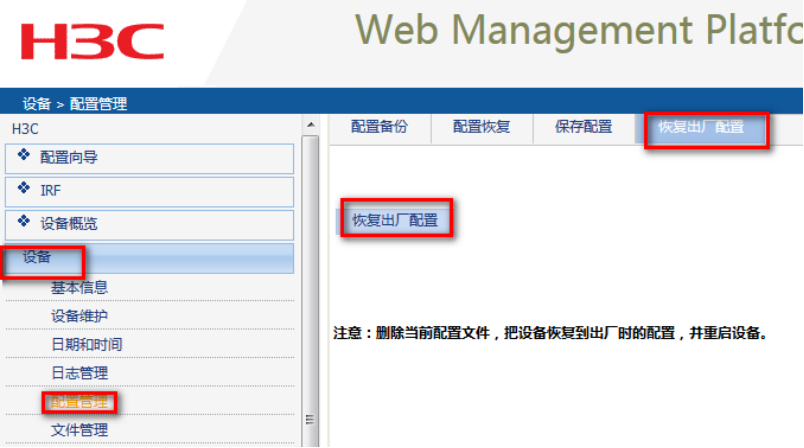
3.1 Web页面恢复出厂设置
适用浏览器登录设备
3.2 命令行恢复出厂设置
The saved configuration file will be erased. Are you sure? [Y/N]:Y //确定删除保存的配置文件
Start to check configuration with next startup configuration file, please wait.........DONE!
This command will reboot the device. Current configuration will be lost, save current configuration? [Y/N]:N //不保存配置
This command will reboot the device. Continue? [Y/N]:Y //继续重启