组网及说明
1.1适用产品系列
本案例适用于如S5024PV3-EI-HPWR、S5048PV3-EI、S5120V2-52P-LI、S5120V2-28P-SI、S5130-52S-EI、S5130S-28S-EI、S5150X-16ST-EI等S5000PV3、S5120V2、S5130、S5150系列的交换机。
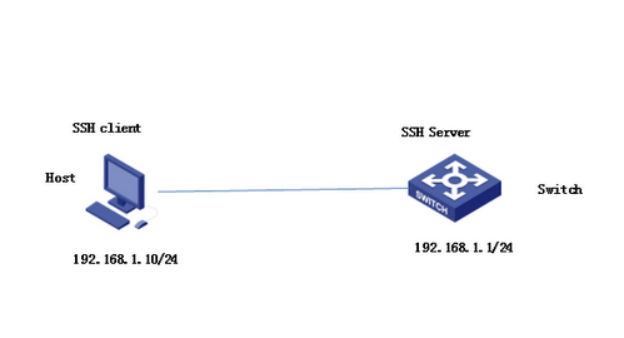
Host(SSH客户端)与Switch建立本地连接。Host采用SSH协议登录到Switch上,以保证数据信息交换的安全。此处采用的认证方式为password认证,用户名和密码保存在Switch上。
2 组网图
配置步骤
3.1 设备作为SSH服务器端设置
# 生成RSA密钥对。
<H3C>system-view
System View: return to User View with Ctrl+Z.
[H3C]public-key local create rsa
The range of public key size is (512 ~ 2048).
NOTES: If the key modulus is greater than 512,
It will take a few minutes.
Press CTRL+C to abort.
Input the bits of the modulus[default = 1024]:
Generating Keys...
++++++++++++++++++++++++++++++++++++++
+++++++++++
+++++++++++++
+++
# 生成DSA密钥对。
[H3C]public-key local create dsa
The range of public key size is (512 ~ 2048).
NOTES: If the key modulus is greater than 512,
It will take a few minutes.
Press CTRL+C to abort.
Input the bits of the modulus[default = 1024]:
Generating Keys...
++++++++++++++++++++++++++++++++++++++++++++++++++++++++++++++++++++++++++++++
+++++++++++++++++++++++++++++++*+++++++++++++
# 启动SSH服务器。
[H3C]ssh server enable
Info: Enable SSH server.
# 配置VLAN虚接口Vlan-interface 1的IP地址为192.168.1.1,此地址作为SSH服务器的登录地址。
[H3C]interface Vlan-interface 1
[H3C-Vlan-interface1] ip address 192.168.1.1 255.255.255.0
[H3C-Vlan-interface1]quit
# 设置SSH客户端登录用户界面的认证方式为password认证。
[H3C] line vty 0 4
[H3C- line-vty0-4]authentication-mode scheme
# 设置Switch上远程用户登录协议为SSH。
[H3C- line-vty0-4]protocol inbound ssh
[H3C- line-vty0-4]quit
# 创建本地用户client001,密码为aabbcc,并设置用户访问的命令级别为network-admin。
[H3C]local-user client001
New local user added.
[H3C-luser-client001]password simple aabbcc
[H3C-luser-client001]service-type ssh
[H3C-luser-client001]authorization-attribute user-role network-admin
[H3C-luser-client001]quit
# 配置SSH用户client001的服务类型为Stelnet,认证方式为password认证(此步骤非必配)。
[H3C]ssh user client001 service-type stelnet authentication-type password
#保存配置
[H3C]save force
3.2 SSH客户端设置以及配置验证
SSH客户端软件有很多,此处以SecureCRT和PuTTY为例:
SecureCRT登录方式如下:
打开文件---快速连接,选择协议SSH1,输入设置的用户名和口令:
图1
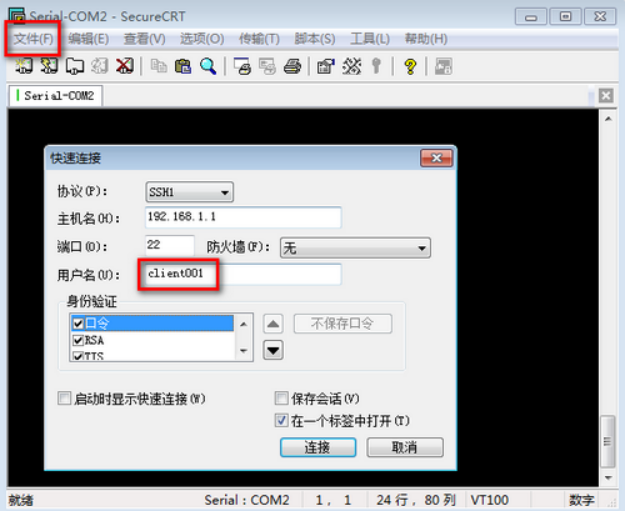
图2
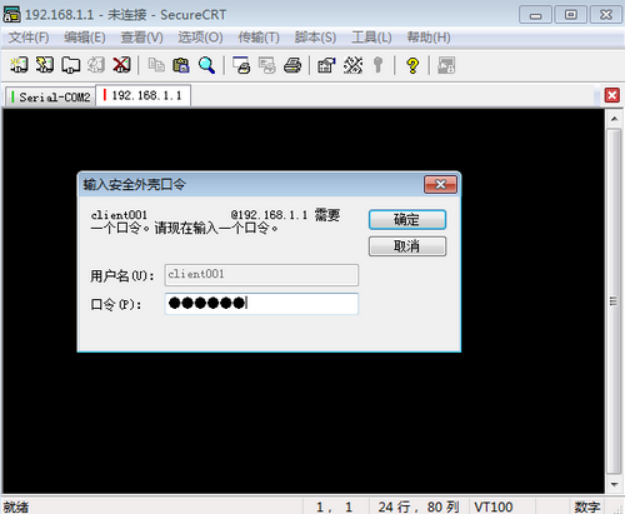
图3
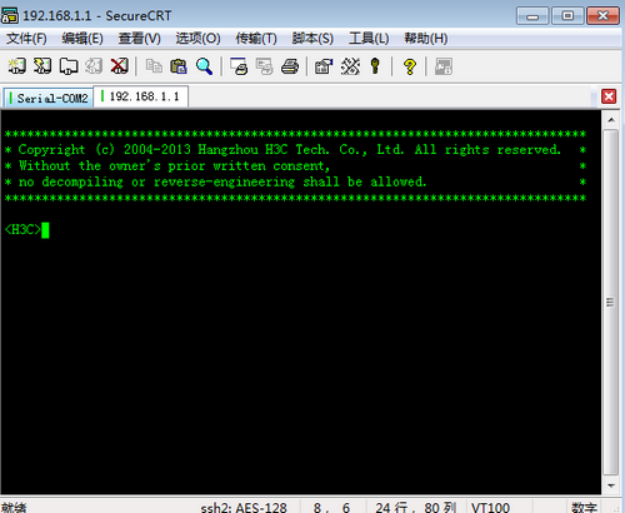
登录成功
使用PuTTY登录方式:
打开PuTTY.exe程序,出现如图所示的客户端配置界面。在“Host Name(or IP address)”文本框中输入SSH服务器的IP地址192.168.1.1。
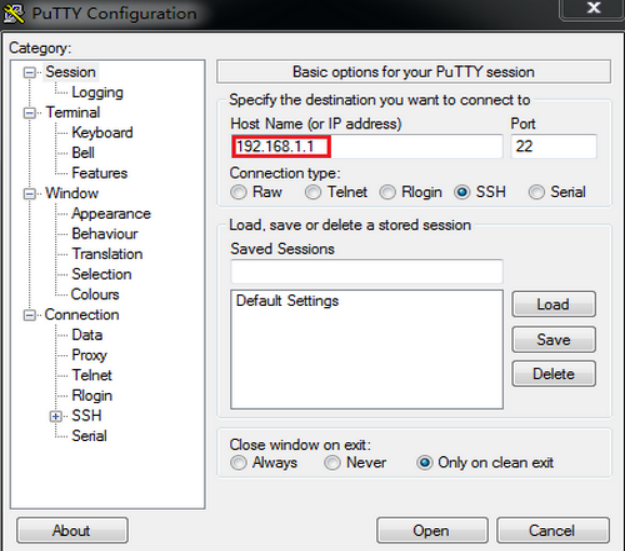
单击<Open>按钮。按提示输入用户名client001及密码aabbcc,即可进入Switch的配置界面。